Free
$0/ month
2,000 dictation words every week
- All supported languages and transcription styles
- No session recording
 Download
Dictate into the apps you use.
Turn conversations into notes you can use.
A shortcut to start.
A small island while you speak.
Put your cursor where you want to write, hold your shortcut, and speak. Release to insert. Your transcripts stay in Dicteit, ready to find and use again.
Calls, interviews, in-person discussions. Keep the transcript, review the decisions, and share the next steps from the same workspace.
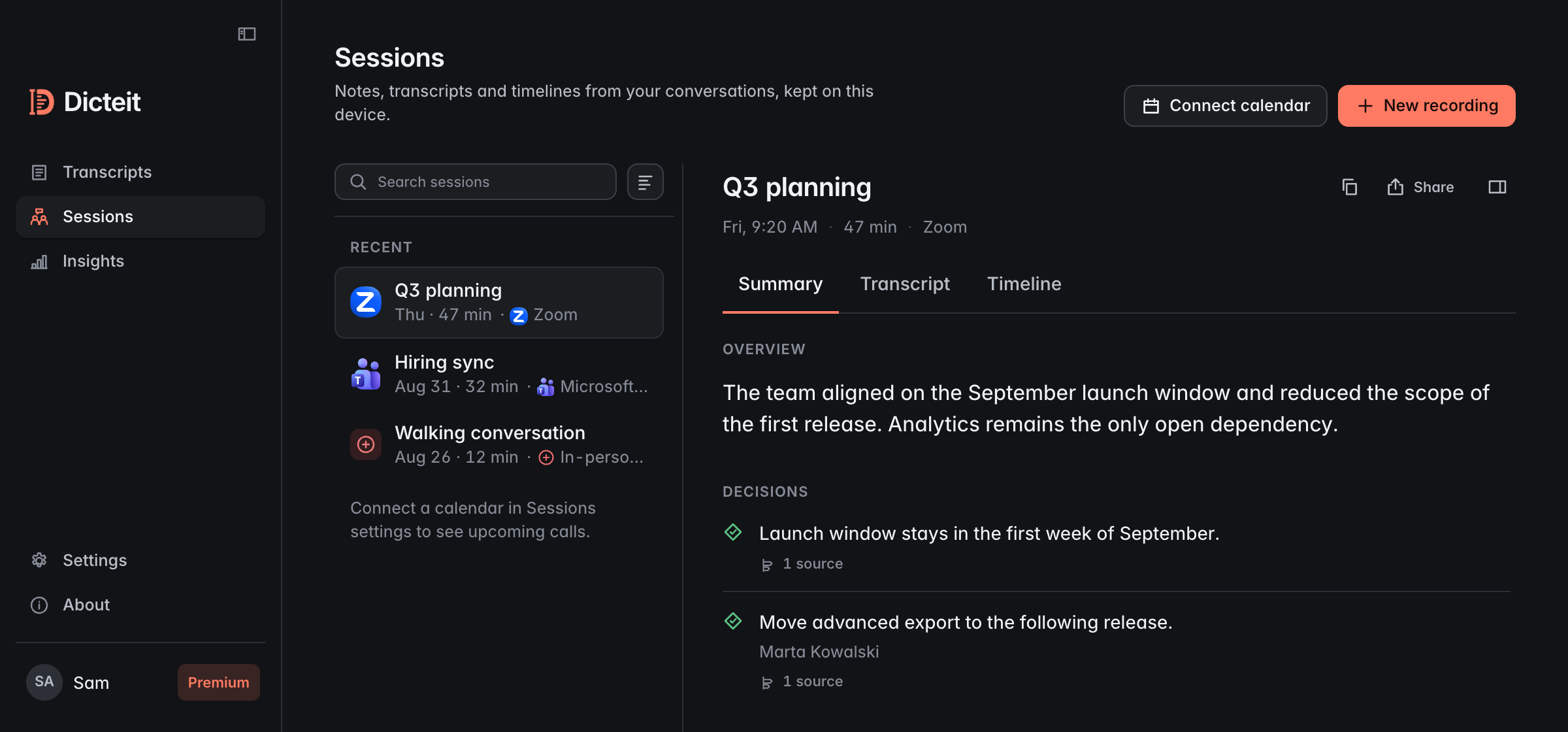
You choose when recording starts. A visible indicator stays on screen while it runs.
Premium for you. Team for shared billing.
$0/ month
2,000 dictation words every week
$7.99/ month
Billed monthly
Monthly subscription. Cancel anytime.
$9.99/ person / month
Billed monthly
From 2 people. Monthly subscription. Cancel anytime.
Choose your plan from the app.
Dicteit is a desktop voice-to-text app. Dictate into your writing tools, or record a session and turn the conversation into a transcript, summary, and action items.
Install Dicteit, sign in, and allow microphone and Accessibility access. Place your cursor in a text field and use your dictation shortcut. When you finish speaking, Dicteit inserts the text into supported fields. If insertion isn’t available, it copies the text instead.
Yes. Sessions bring recordings, transcripts, summaries, and action items together. You choose when recording starts. Always get the consent required from the other participants before recording.
Transcription and generated notes require an internet connection. Audio is sent for processing; Dicteit is not an offline-only transcription app.
The current download is for Macs with Apple silicon. A Windows download is not available on this page yet.
Add names, acronyms, and specialist terms to your Dictionary. When you correct a word Dicteit misheard, it adds the term for you. Use automatic language detection or add language hints, and switch between Smart and Verbatim styles in the app.